Adding a Status Bar to Claude Code Really Makes a Difference in Efficiency!! (Essential)
If you regularly use Claude Code, you've probably encountered this situation: remembering which model is being used, how many tokens have been spent, how much time is left in the session, and which Git branch you're on, all by yourself.
I recently discovered a small tool that conveniently solves all these issues at once.
It's called ccstatusline, a terminal status bar specifically designed for Claude Code.
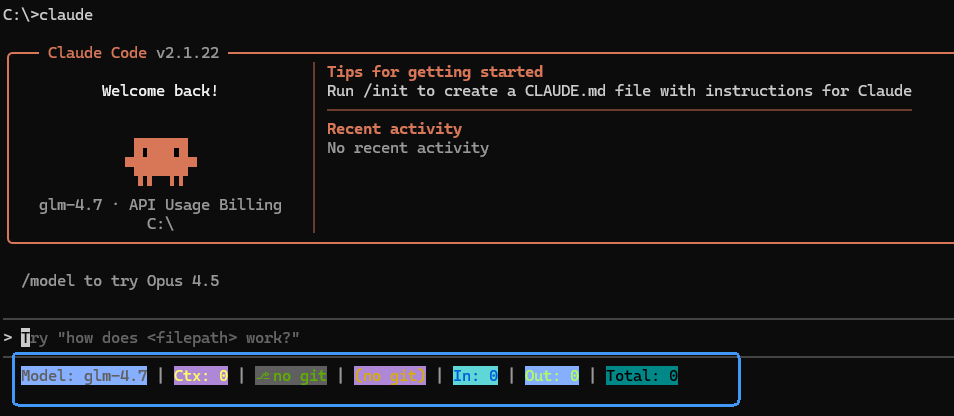
It doesn't take up screen space or interrupt your workflow. It sits at the very bottom of the terminal, displaying key information like model details, Git status, token usage, session duration, and the 5-hour block timer all in one place, so you can see it at a glance.
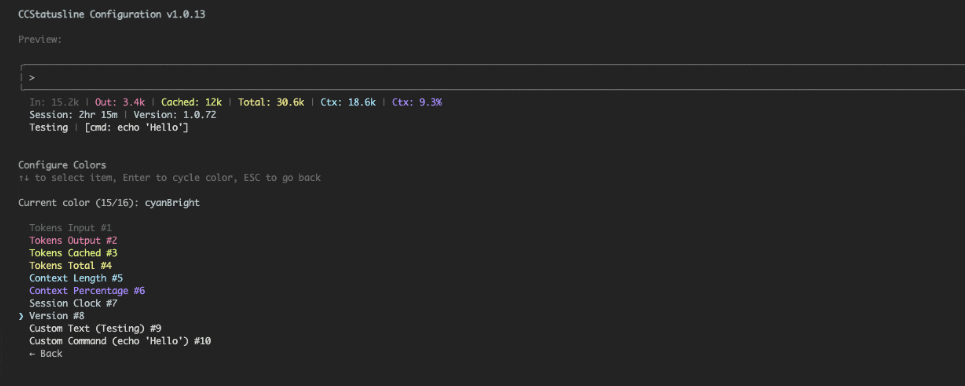 The two most comfortable features after using it are:
One is the block timer, which is especially helpful for those who often forget the 5-hour session limit;
The other is the session cost display, so you don't have to calculate meticulously, but at least have an idea.
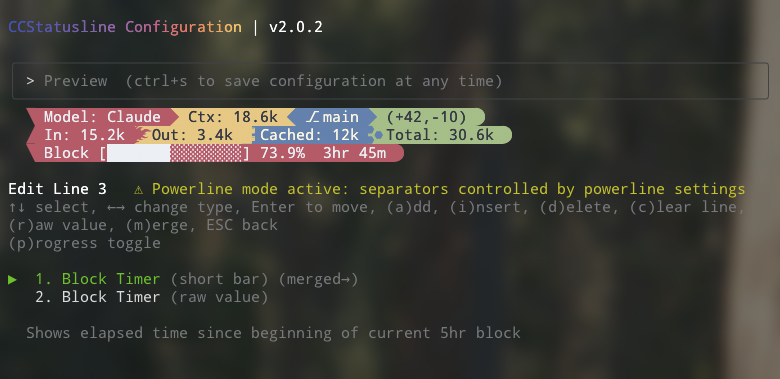 The style follows the Powerline aesthetic, and there's no limit to the number of status bars—you can split them however you like. All configuration is done within a TUI, allowing you to preview changes as you make them. Settings are automatically saved, so there's no need to manually write configuration files.
One-Click Installation, Smooth Configuration
ccstatusline runs seamlessly on Windows and is fully compatible with PowerShell (5.1+ and 7+), Command Prompt, and Windows Subsystem for Linux (WSL).
npx ccstatusline@latest
# or
bunx ccstatusline@latest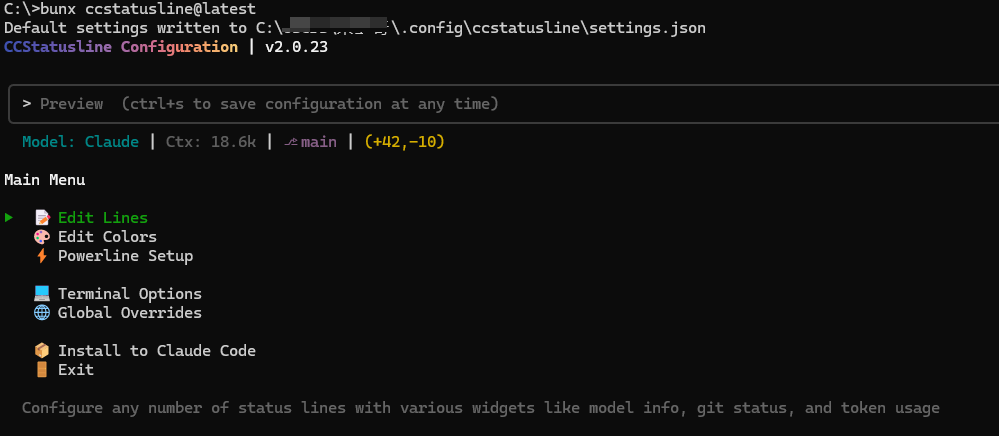 One-Click Installation
Just add one line of configuration in Claude Code to use it:
{
  "statusLine": "bunx ccstatusline@latest"
}
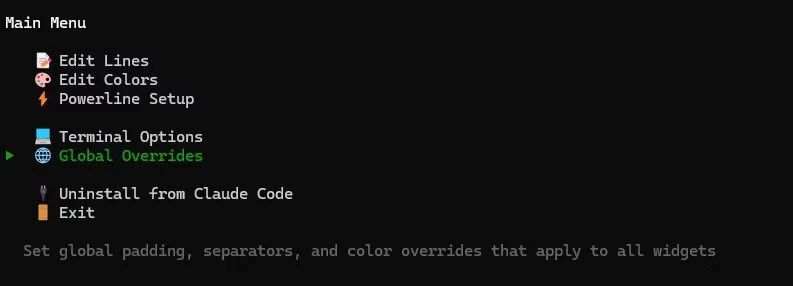
Then select Install to Claude Code, and choose the installation method to install the default style status line formatter.
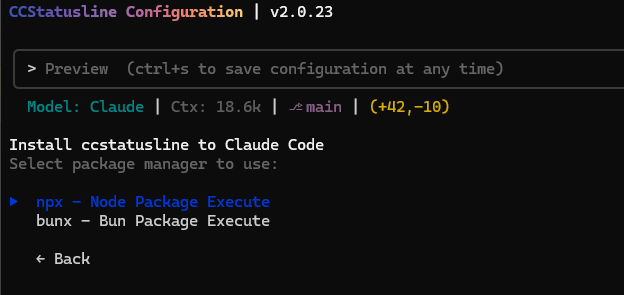 Installation Method
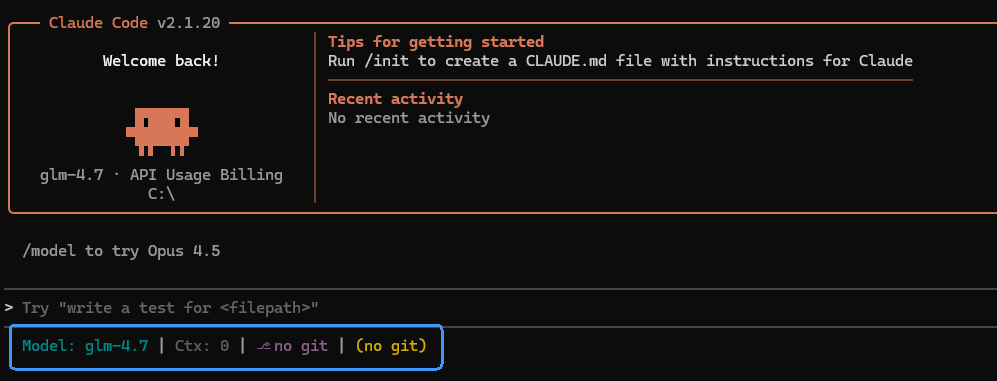 Default Style
Style Customization
1. Widget Function Customization
Configure any number of status lines, including various widgets such as model information, Git status, and token usage.
You can then customize component configurations using the left and right arrow keys.
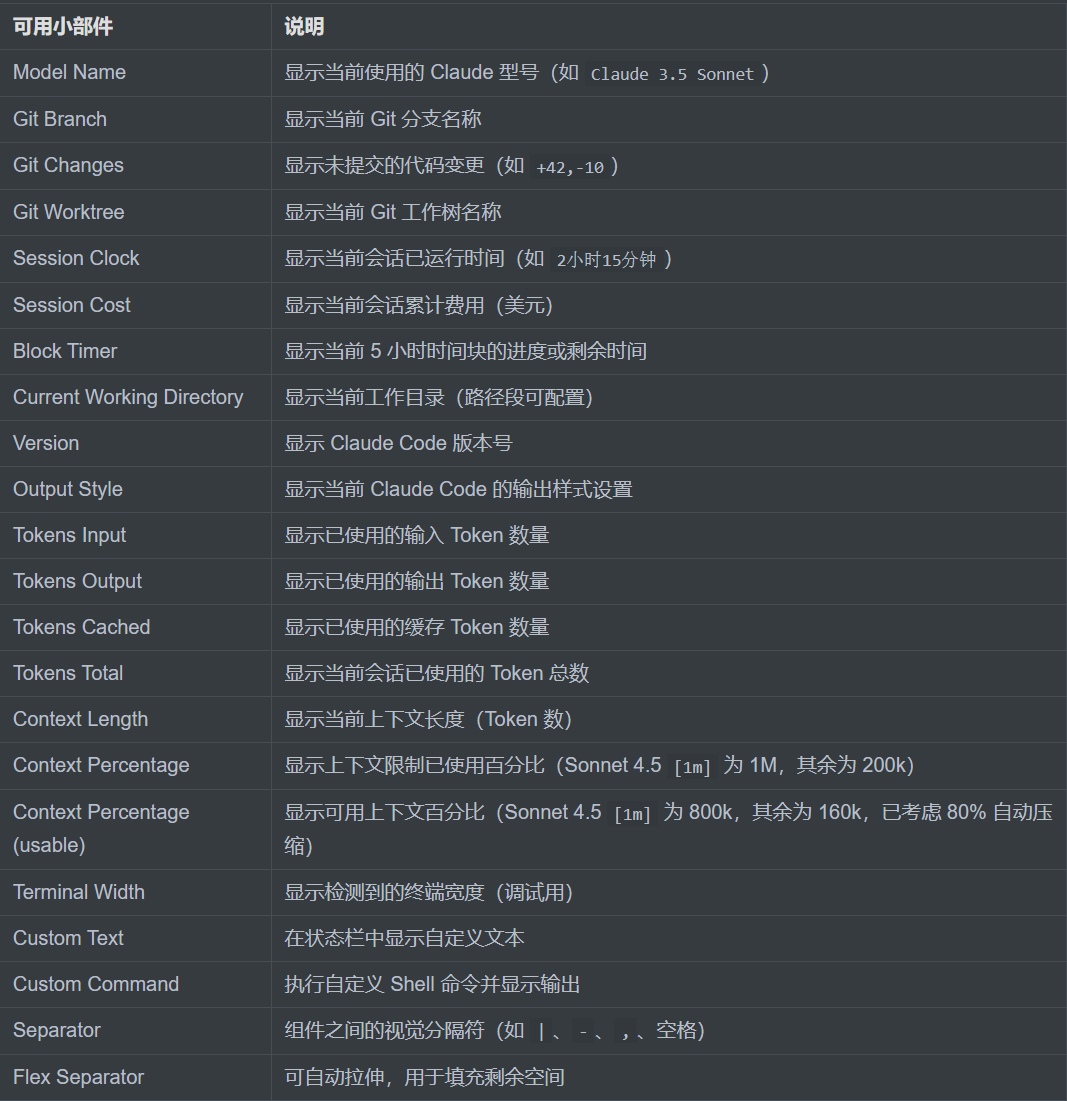
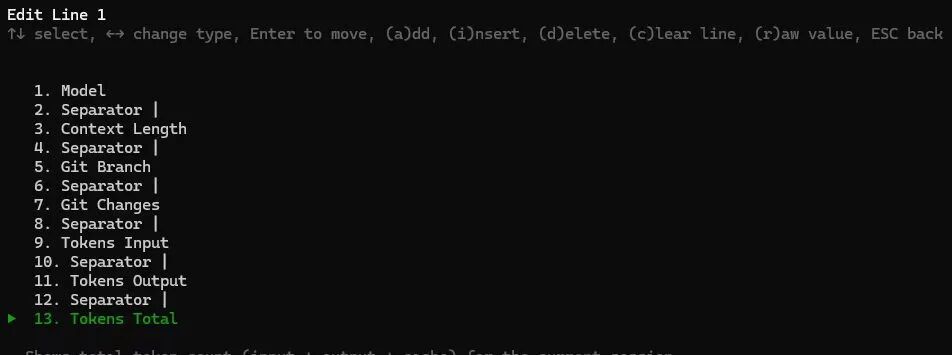 Below is the official list of widget functions.
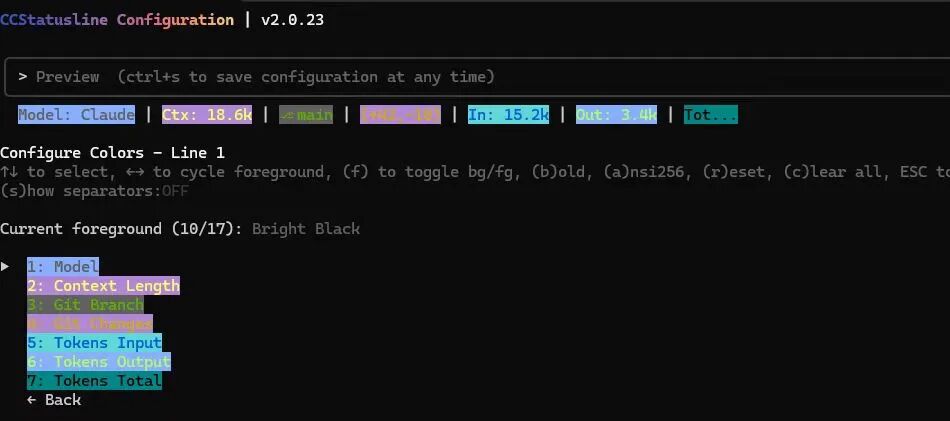
 2. Color Customization
Customize the color of each component, including foreground color, background color, and bold style.
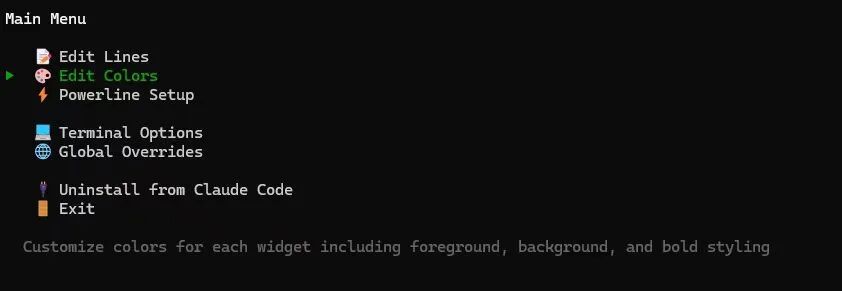 Press the
 f key to toggle between configuring font or background color.
 Emoji Support - You can now paste emojis into custom text components.
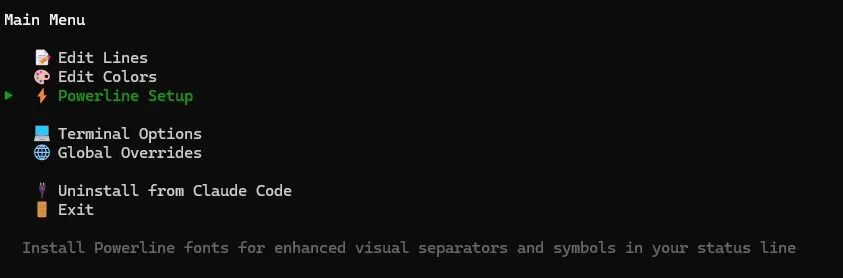
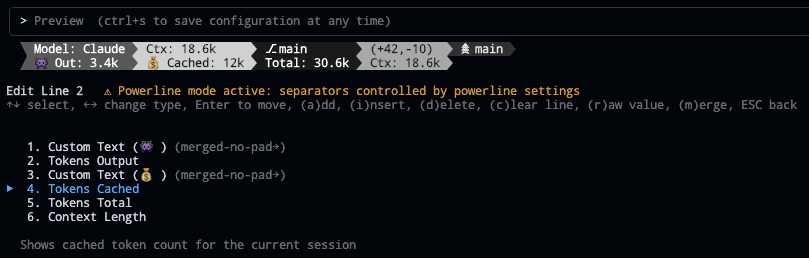 3. Powerline Fonts
Install Powerline fonts to enhance visual separators and symbols in the status bar.
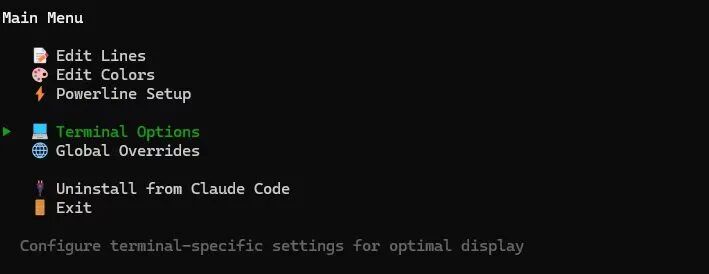
 4. Configure Terminal-Specific Settings for Optimal Display
 5. Set Global Padding, Separators, and Color Override Values Applied to All Controls
 Claude Code Login Effect
 Finally
It's not the kind of tool that "makes you stronger once installed," but if you use Claude Code CLI every day, it will noticeably make your experience smoother.
Project Address: https://github.com/sirmalloc/ccstatusline



