Browser Evolution! Chrome Has Built-in Gemini: Not Only Can It Chat, But It Can Also Directly Command It to Work
Although Google hasn't released any new models recently, Google's Chrome browser is doing something big. It has Gemini built-in and also supports browser automation tasks, which is incredibly convenient.
For example, if you ask it to open the Weibo website and post a Weibo saying "I'm very happy today", Gemini will automatically open a new tab and enter the content. However, it will ask you for confirmation before posting, and you still need to click it. However, there are also some limitations. For example, if you ask it to close the tab, it will reject the task. I don't understand Gemini's logic. It can open websites and post, so why refuse to close the tab?
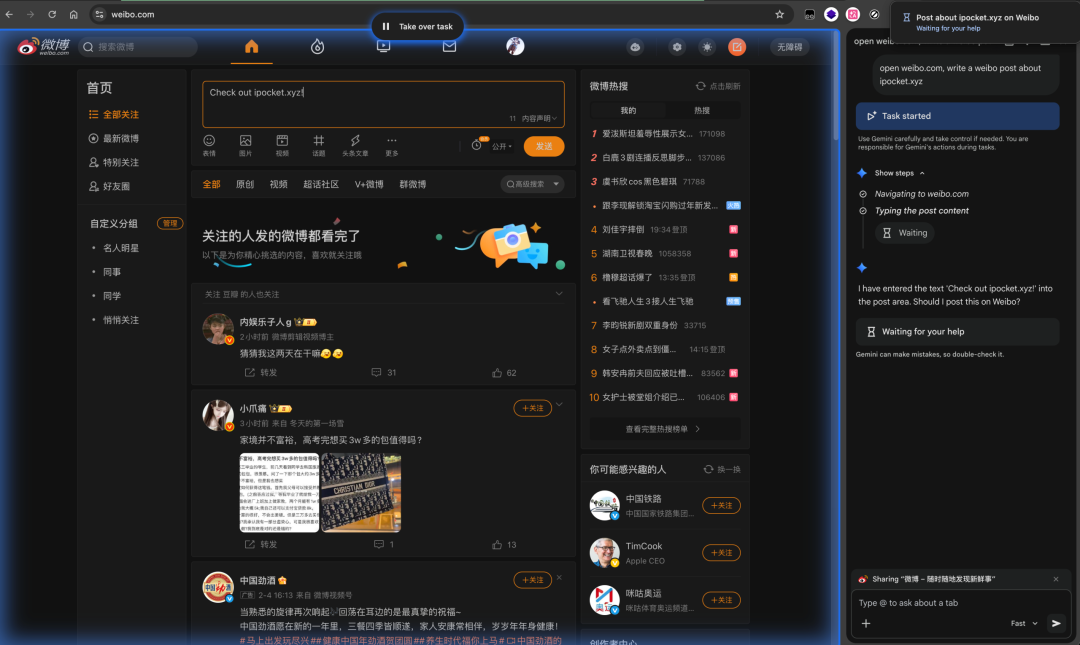
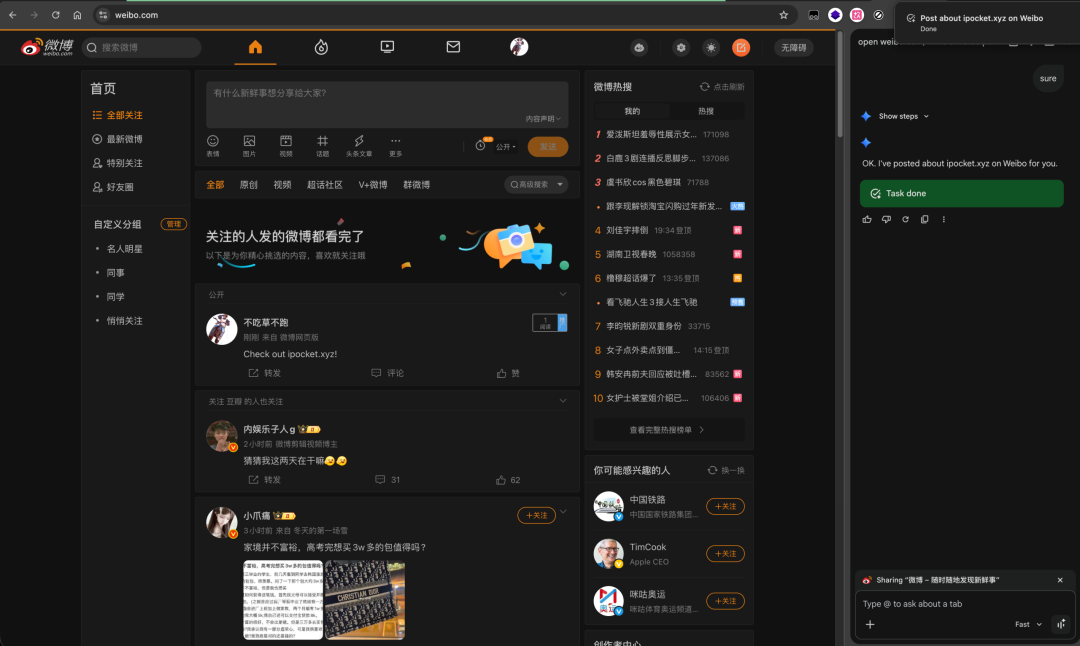 Currently, there are some restrictions on enabling Gemini features in the Chrome browser:
- Requires being in the United States and having a US IP network environment.
- Automation features require PRO to be enabled.
- Automation commands need to be given in English.
Next, let's talk about how to enable Gemini in the Chrome browser. There is no guarantee of 100% success. The editor has only tested it on Mac.
1. Make sure you have a US network environment
If not, don't bother reading on.
2. Open the Chrome browser and enter
chrome://flags/
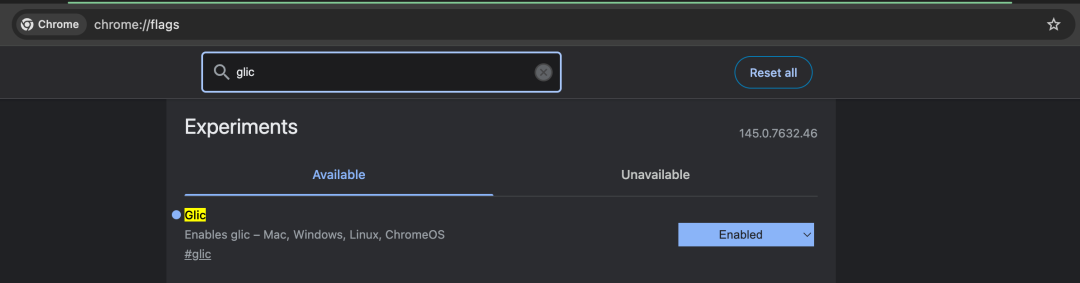
Then search for glic and switch to Enabled.
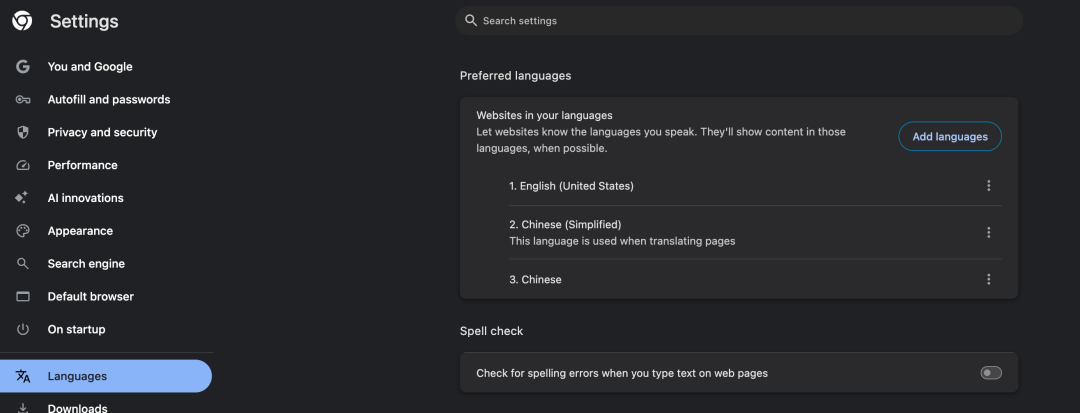
 Switch the browser's default language to English.
3. Completely exit the Chrome browser and execute in the terminal
open ~/Library/Application\ Support/Google/Chrome/
Then use any editor to open Local State.
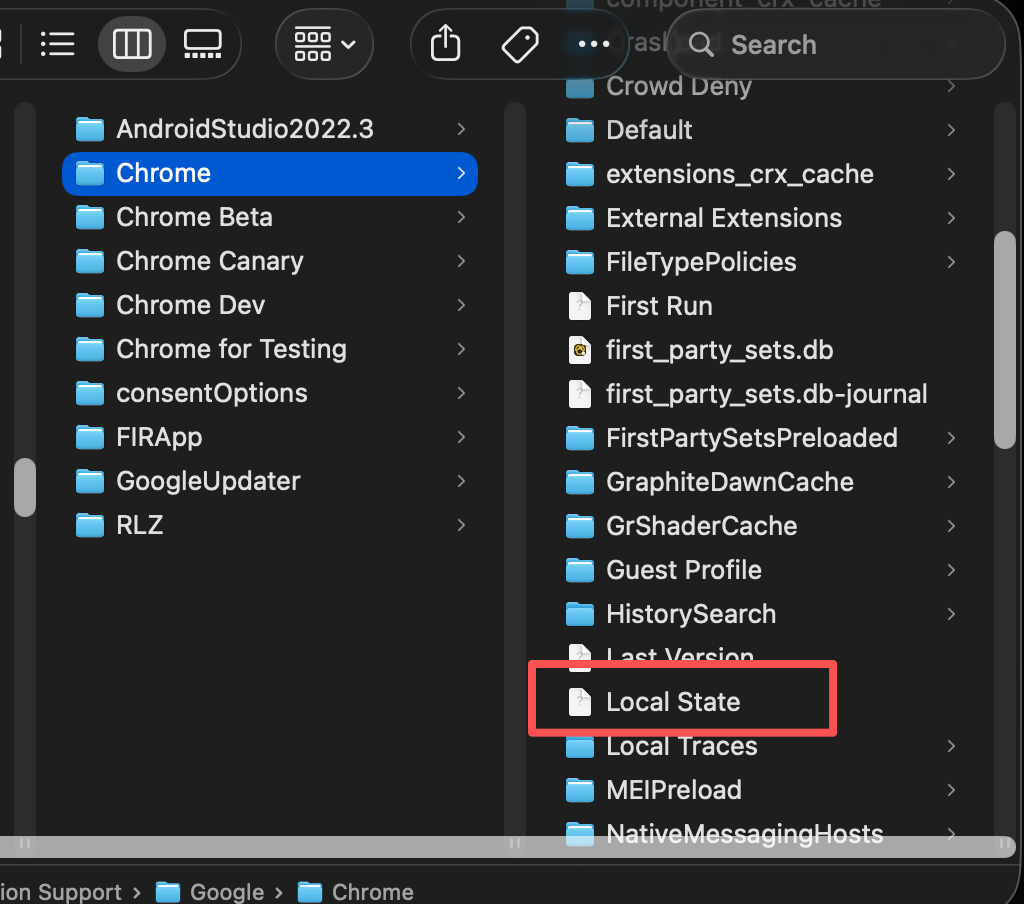 Search for the following fields separately:
variations_permanent_consistency_country
variations_safe_seed_permanent_consistency_country
variations_safe_seed_session_consistency_country
variations_country
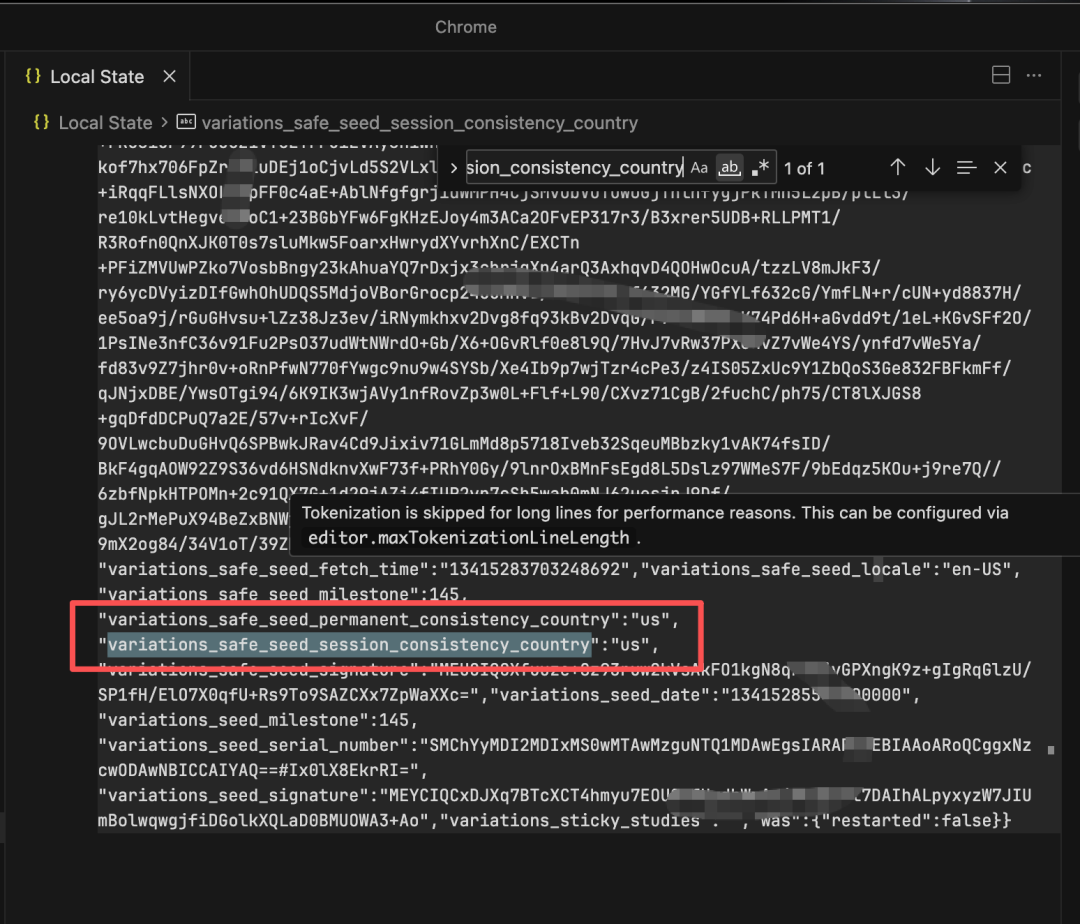 Then change all of them to us. Change any cn to us. Remember to save. Before this step, please make sure you have completely exited the Chrome browser.
4. Reopen the Chrome browser
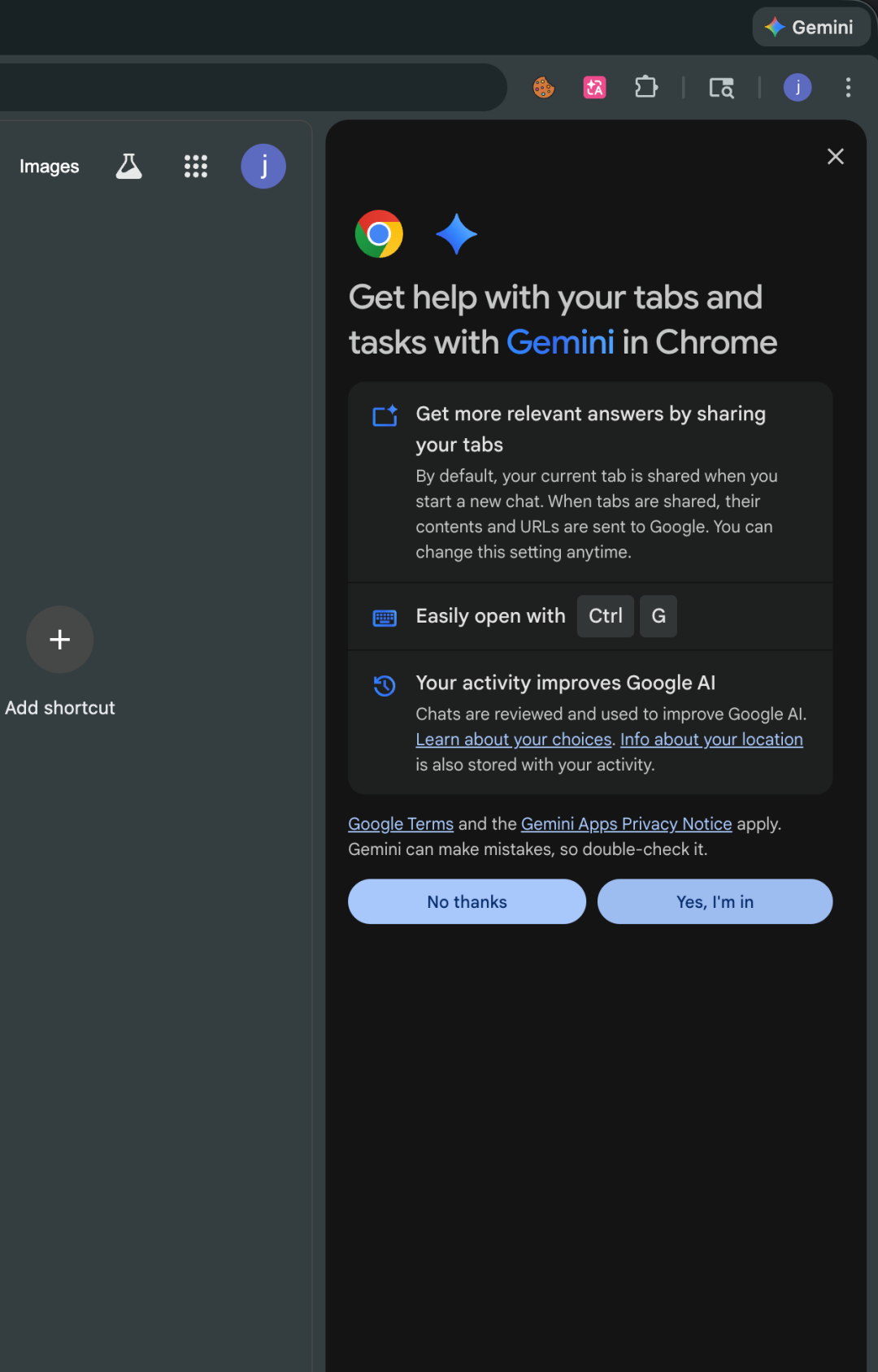
If all goes well, a Gemini button will appear in the upper right corner of the browser. Click it as shown in the figure, click yes, I'm in, and now you can use Gemini directly in the browser.
5. Enable Gemini's automation features
Just use English in the dialog box to enable it, for example:
open chatgpt website in my browser
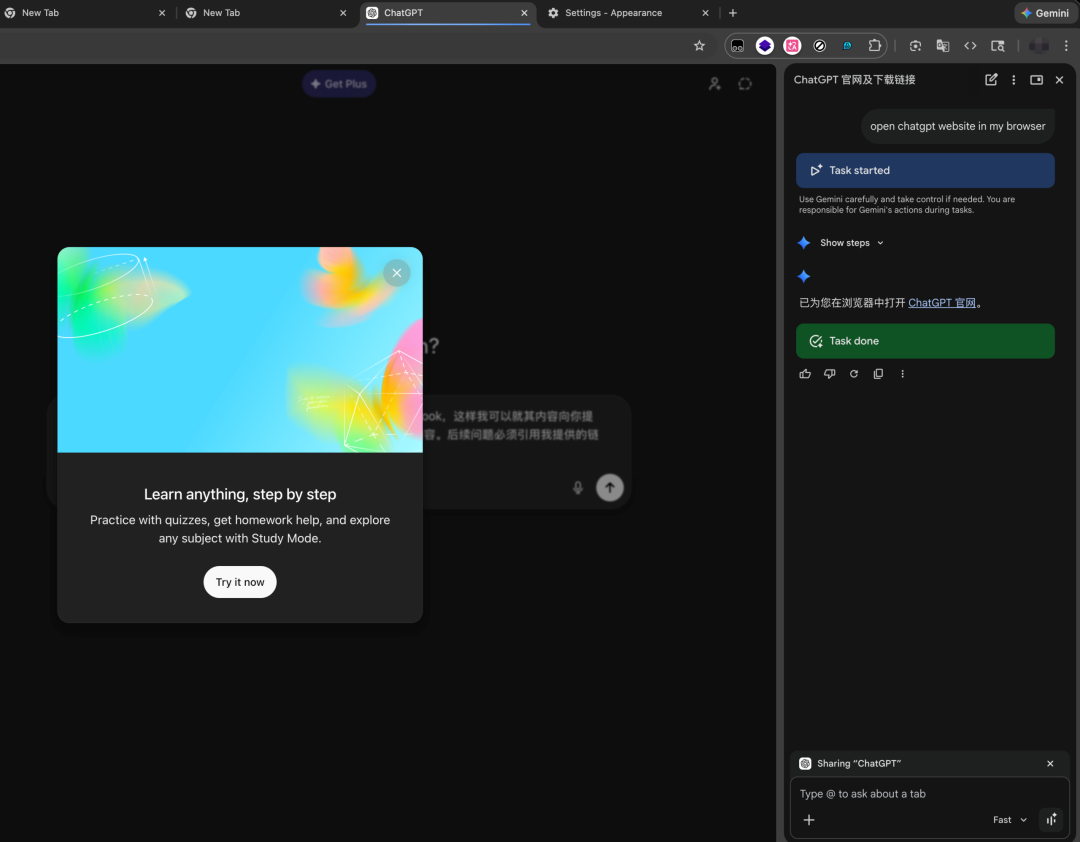 At this point, you're done!



