General-Purpose Agents Are Failing? This 15,000-Star Financial AI Automates the Entire Investment Research Process
The development trend of AI agents has become increasingly clear in the past two years, with the general-purpose agent capabilities supported by general large models rising all the way.
However, as soon as you step into a professional field, these "omnipotent Agents" are easily exposed, and financial research is the most typical example.
The decomposition logic of financial statements, the unified verification of indicator caliber, the authenticity verification of data sources, and the reproducibility of research conclusions are all core requirements of financial research. Relying on a general-purpose intelligent agent for various fields cannot truly solve the problem.
Also in the process of flipping through open source projects, I found a project that has accumulated a lot of reputation in the financial circle and the developer community: Dexter, an autonomous intelligent agent specially built for in-depth financial research.
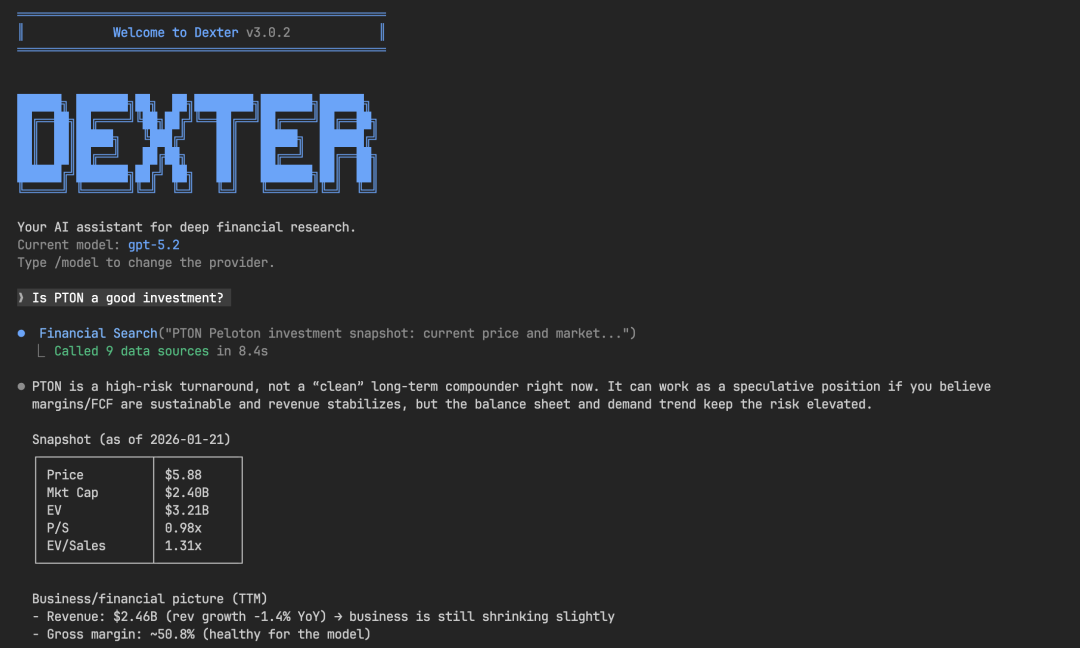 Unlike ordinary financial question-answering tools, it can decompose research tasks, retrieve professional data, execute analysis processes, and repeatedly verify research results. It can be regarded as an intelligent agent that is truly implemented in financial investment research scenarios, and its popularity and strength are very impressive.
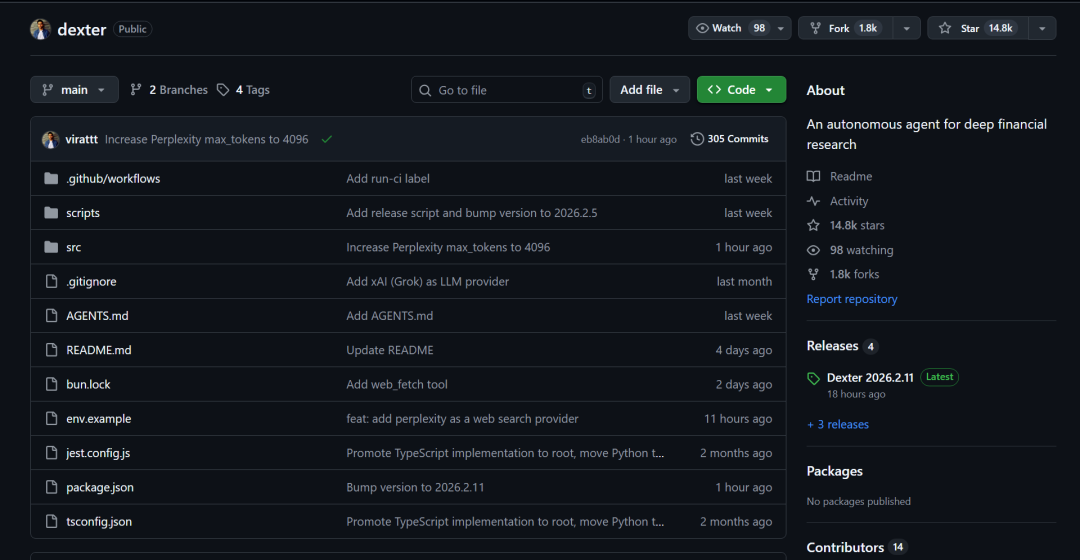
Not a "Financial Version of ChatGPT"
If ordinary financial AI solves the problem of "can it give an answer", then Dexter solves the more core problem in financial research of "can the problem be studied clearly"
Dexter's positioning is not to be a "financial version of ChatGPT", but to replicate the real financial investment research process.
When you ask a research question, such as:
- Analyze the revenue changes of a company in the past five years?
- Compare the valuation structure of two industries?
- Evaluate the cash flow quality of a company?
It will not directly give a conclusive text, but will first clarify the research objectives according to professional investment research logic, then judge the core financial indicators needed to complete the research, then screen matching professional data sources, and finally execute analysis, verify data, and supplement information step by step.
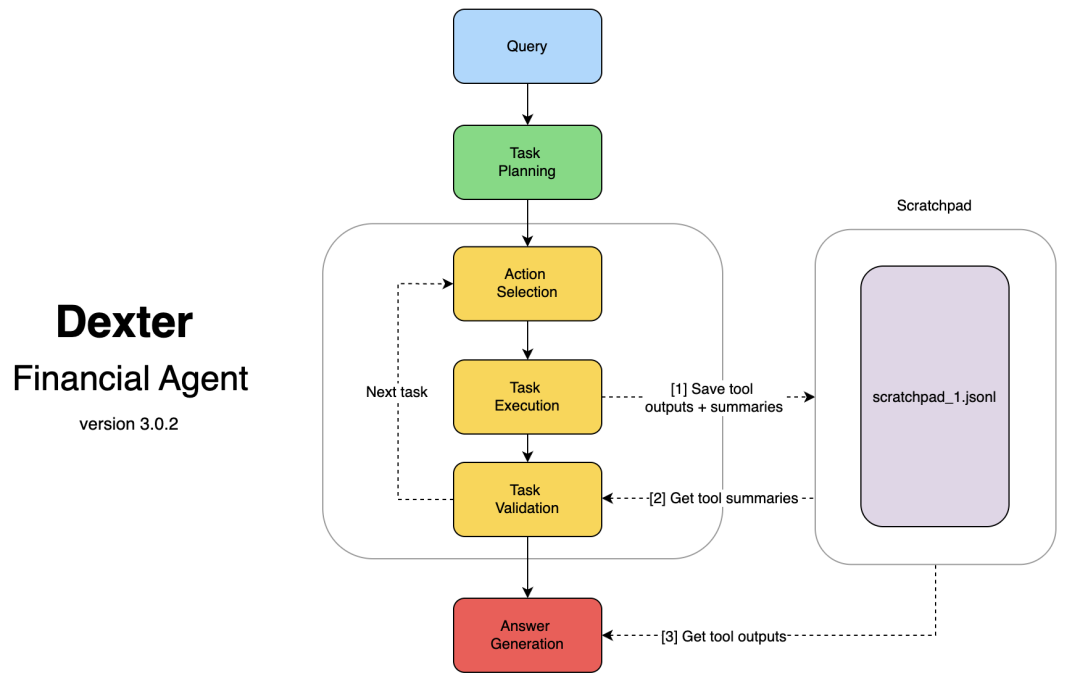 The entire research process is structured and traceable, rather than relying on a large model to "generate" answers at once.
Professional Data Sources Are Its Confidence
The lower limit of financial analysis always depends on data quality.
Dexter can directly connect to institutional-level financial data sources, covering core data such as revenue statements, balance sheets, and cash flow statements.
 This is not a simple web crawl, but a data system organized around a professional financial structure.
The problem with many general-purpose Agents is that the logic may be fine, but the data source is vague and the caliber is not uniform, and the final conclusion is untenable.
Dexter regards data sources as a core capability from the design level, rather than an additional function. This is a very critical step for investment research scenarios.
It Will "Check Itself"
Dexter's self-verification mechanism is more in line with the high requirements for accuracy in the financial field.
Throughout the analysis process, Dexter will continuously check the intermediate results and final conclusions. Once it finds logical loopholes or data missing, it will automatically adjust the research steps and continue to execute until the complete research task is completed.
Model Support
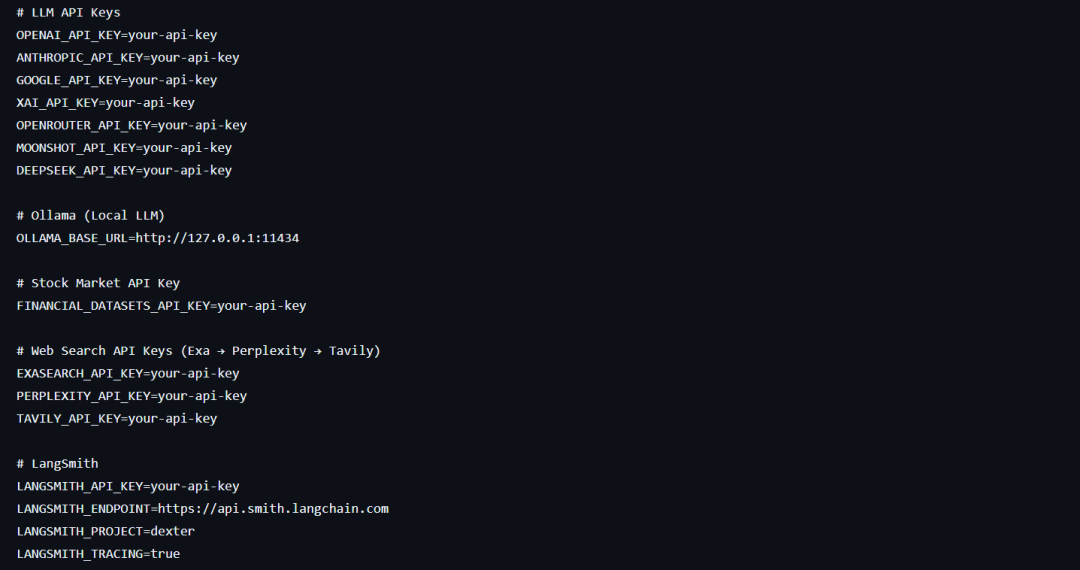
Dexter's compatibility is also very flexible. Whether it is OpenAI, Anthropic, Google, xAI, OpenRouter and other cloud large models, or locally deployed Ollama, it can be seamlessly connected. It can run quickly in the cloud and meet the privacy needs of local deployment.
Quick Start
1. Prepare the Running Environment
Dexter uses Bun as the runtime. The official requirement is version 1.0 and above. The installation method is different for different systems. Restart the terminal after the operation is completed.
macOS / Linux systems can execute:
curl -fsSL https://bun.com/install | bashWindows systems can execute:
powershell -c "irm bun.sh/install.ps1|iex"After the installation is complete, enter bun --version in the terminal, and the normal output of the version number indicates that the installation is successful.### 2. Clone the Project and Install Dependencies
After cloning the project repository, navigate to the project directory and use Bun to install the project's required dependencies:
git clone https://github.com/virattt/dexter.git cd dexter bun install
3. Configure Environment Variables
This is a crucial step for running Dexter. The project already provides an environment variable template file. We just need to copy the template to generate a configuration file and then edit it according to our needs:
cp env.example .env Then edit the generated .env file. The core API Keys that need to be configured are mainly divided into three categories:
- API Key for Large Model Providers: Including OpenAI, Anthropic, Google, xAI, OpenRouter, etc. (e.g., OPENAI_API_KEY) can be configured according to the large model you are using.
- Financial Datasets API Key: Used to call institutional-level financial market and financial data, which is the core configuration for realizing professional financial analysis. It is recommended to configure it. Get it at: https://financialdatasets.ai/
- Web Search Related API Key: Including Exa, Tavily, used to enhance the agent's web search capabilities, is an optional configuration. Get it at: https://exa.ai/
If you need to use a locally deployed Ollama, configure it in the file:
OLLAMA_BASE_URL=http://127.0.0.1:11434
4. Start Dexter
After the environment variables are configured, execute the startup command directly in the terminal:
bun start to enter Dexter's interactive CLI interface. Enter financial research-related questions in the interface, and it will automatically plan and execute the complete analysis process.
If it is for development or debugging purposes, you can use the hot reload mode to start:
bun dev
5. Evaluation and Debugging
For users with advanced needs, Dexter has a built-in evaluation tool that can test the agent's analysis capabilities. You can either run the complete evaluation process or randomly sample for testing:
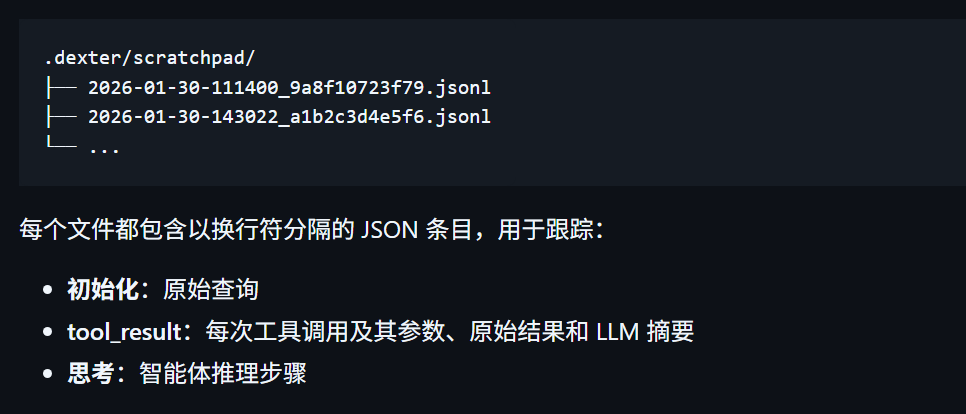
bun run src/evals/run.ts bun run src/evals/run.ts --sample 10 Dexter will automatically record all analysis processes, tool calls, and intermediate results in this directory:
.dexter/scratchpad/ You can use the files under it to complete the review of the research process and the debugging of the project.
Vertical Agents are the Focus of the Next Stage
General-purpose Agents will continue to improve, but the truly "easy-to-use" intelligent agents will definitely be those that deeply explore vertical fields.
Dexter is a typical example. It does not try to cover all fields, but focuses on financial research, deepening data sources, analysis processes, and verification mechanisms.Project address: https://github.com/virattt/dexter



