I wrote a small tool to give OpenClaw AI its own watchdog
Almost every family now installs one or two surveillance cameras.
One at the door, one in the living room, a phone notification when someone comes, and you can check the situation at home when you are out. This sense of security can be bought for a few hundred dollars, which is extremely cost-effective.
But have you ever thought about: what about your server?
If a stranger comes to your house, the camera will push a notification. What about the VPS running your blog, the cloud host storing your code, or even the NAS that is turned on 24 hours a day at home—if someone logs in, do you know?
So I wrote a small tool and connected it to OpenClaw, giving AI its own watchdog.
whozere: Who's here?
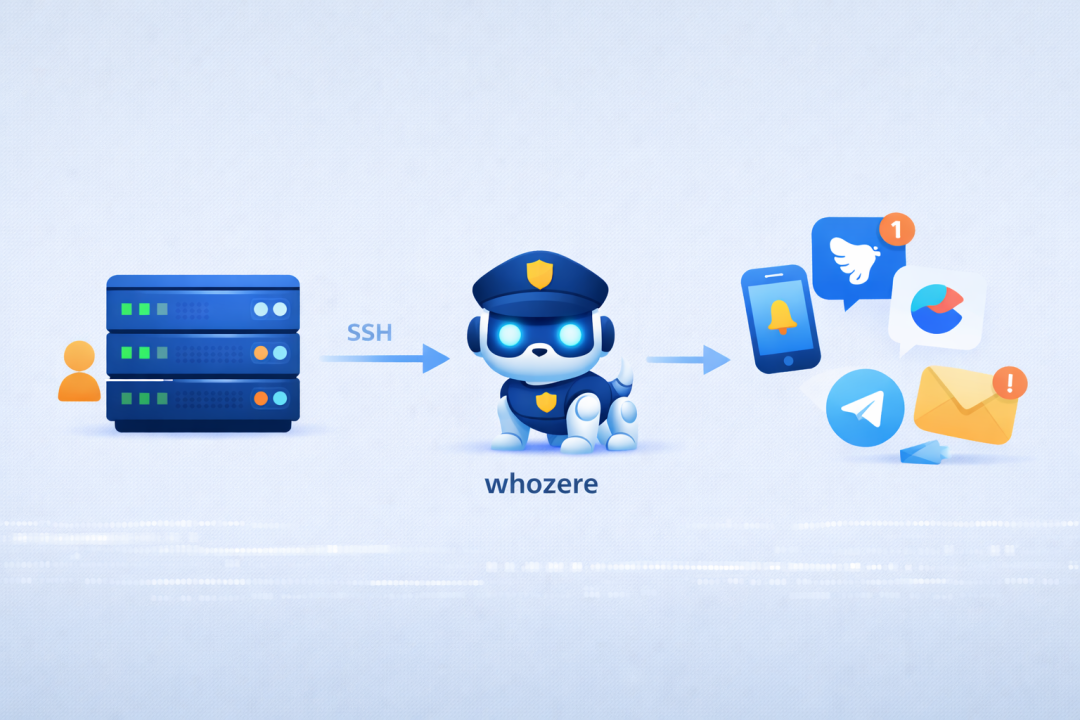
whozere (Who's here?) is a cross-platform login detection tool that supports macOS, Linux, and Windows.
It does a very simple thing:
- Monitor system login events
—— SSH, terminal, remote desktop, screen sharing, etc.
- Real-time push notifications
—— Supports Webhook, Telegram, Lark, DingTalk, Enterprise WeChat, email, etc.
- Lightweight and imperceptible
—— Runs in the background with extremely low resource usage
Installation is also very simple (taking Linux/macOS as an example):
# One-click installationcurl -fsSL https://raw.githubusercontent.com/xsddz/whozere/main/scripts/install.sh | bash# Edit the configuration (fill in your notification channel, such as Lark robot)sudo vim /usr/local/etc/whozere/config.yaml# Set up automatic startupwhozere-service install && whozere-service start
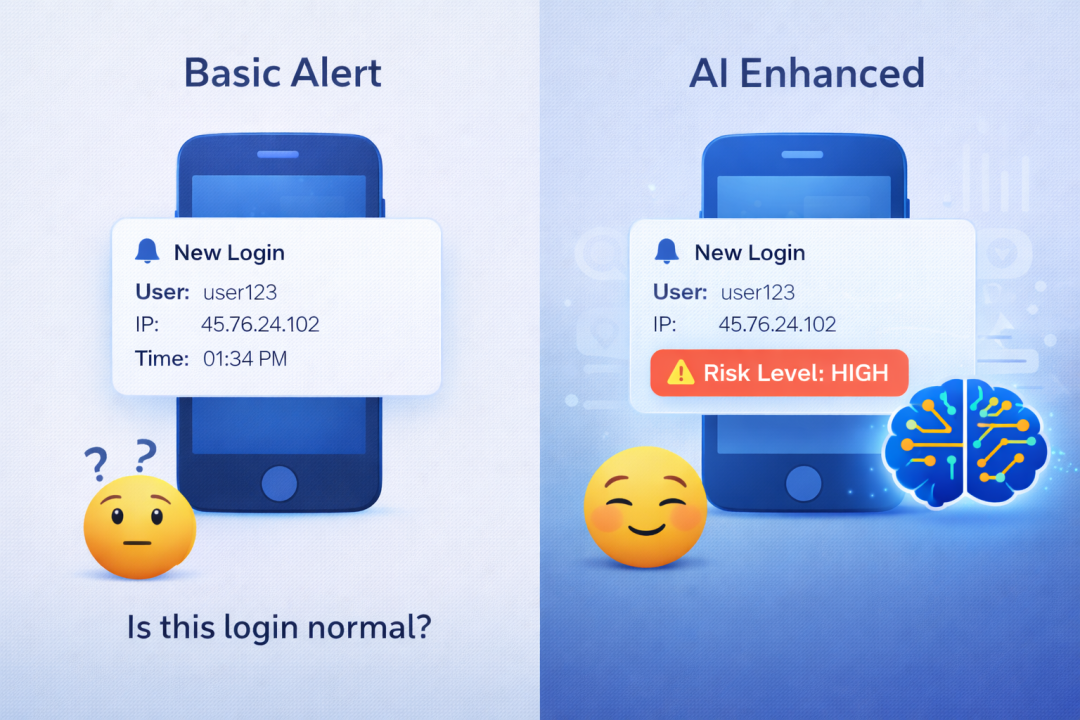
After the configuration is complete, you will receive a notification like this every time someone logs in to your server:
🔔 Login reminderUser: rootHost: my-vpsTime: 2026-02-08 14:32:15IP: 192.168.1.100Terminal: ssh
From then on, the "door" of the server also has monitoring.
openclaw-skill-whozere: AI's watchdog
After having whozere, I was thinking: can I go a step further and let AI participate?
For example, I want to ask AI: "Who has logged in to my server in the past week?" Or, let AI help me judge whether this login is suspicious?
So I wrote an OpenClaw skill: openclaw-skill-whozere.
It also does a very simple thing:
- Receive login alerts
—— whozere pushes the message to OpenClaw
- Multi-channel forwarding
—— Telegram, Slack, Discord, WhatsApp... use whichever you want
- AI risk analysis
(Optional) —— Automatically determine whether this login is abnormal
- Query at any time
—— Ask "Who has logged in recently", AI will give you the answer
Installation is not complicated:
# Install the skillopenclaw skills install github:xsddz/openclaw-skill-whozere
Then add a Webhook in the whozere configuration, pointing to OpenClaw:
notifiers: - type: webhook name: "OpenClaw" enabled: true config: url: "http://127.0.0.1:18789/api/webhooks/whozere"
Restart whozere, done.
From then on, login alerts will be sent to OpenClaw, and then pushed by OpenClaw to your Telegram or other chat tools.
If risk analysis is enabled, the alert will also have an AI judgment:
🔔 Login reminderUser: rootHost: production-dbTime: 2026-02-08 03:45:30IP: 185.234.xx.xxTerminal: ssh⚠️ Risk assessment: High- Abnormal login time (3 am)- Unfamiliar IP address- High-privilege user loginSuggestion: Confirm this login immediately.
You don't need to stare at it yourself, AI will check it for you.
Finally
Both small tools are open source:
- whozere
: https://github.com/xsddz/whozere
- openclaw-skill-whozere
: https://github.com/xsddz/openclaw-skill-whozere
You will definitely not forget to lock the door at home, and the server's door should also have a watchdog.



