Stop Using That Old PowerShell with Claude Code
Recently, Claude Code's Skills have been incredibly popular, with many people in my social circle posting screenshots of various skill effects. I followed the trend and tried it out, and it's indeed quite nice—handling PDFs, generating front-end code, working with Excel, basically, there are skills written for everyday tasks.
However, after installing it, I discovered an issue.
Running Claude Code in the default PowerShell window often results in messy output. Especially with long text or content containing emojis, it directly causes line breaks, with lines overlapping and looking headache-inducing.
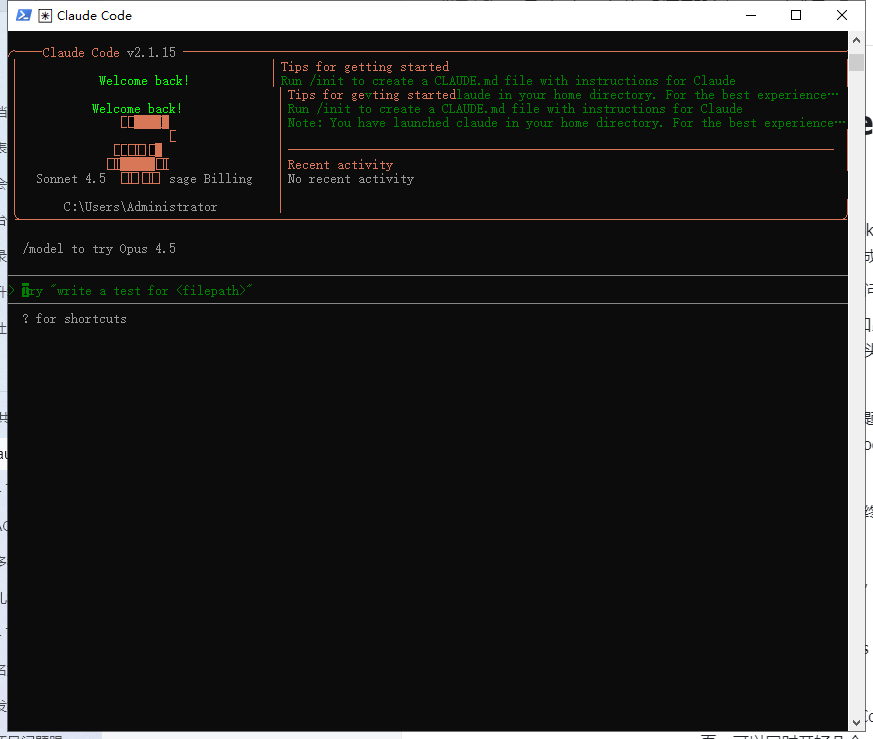 I thought it was a problem with my system, but later realized it's an issue with the traditional PowerShell terminal. It doesn't handle ANSI escape sequences and Unicode characters very well; the fancier Claude Code's output, the more it struggles.
The solution is simple: just switch terminals.
Windows Terminal, So Good
Microsoft's official Windows Terminal is specifically designed to solve these problems.
After installing it and running Claude Code again, everything works normally. Colors, emojis, long text output—they appear exactly as they should. Plus, it supports multiple tabs, allowing you to open several Claude sessions simultaneously, which is very convenient.
Installation is also straightforward; just search for it in the Microsoft Store (URL: https://apps.microsoft.com/detail/9n8g5rfz9xk3)
Clicking download will download an exe program: Windows Terminal Preview Installer.exe. Note that if you have antivirus software installed, there might be a risk warning; just choose to ignore it.

Run the exe program.
Once installed, you can open it directly; it defaults to PowerShell, and typing claude starts it. Interestingly, it also supports auto-completion, as shown in the gray file directory in the image below.
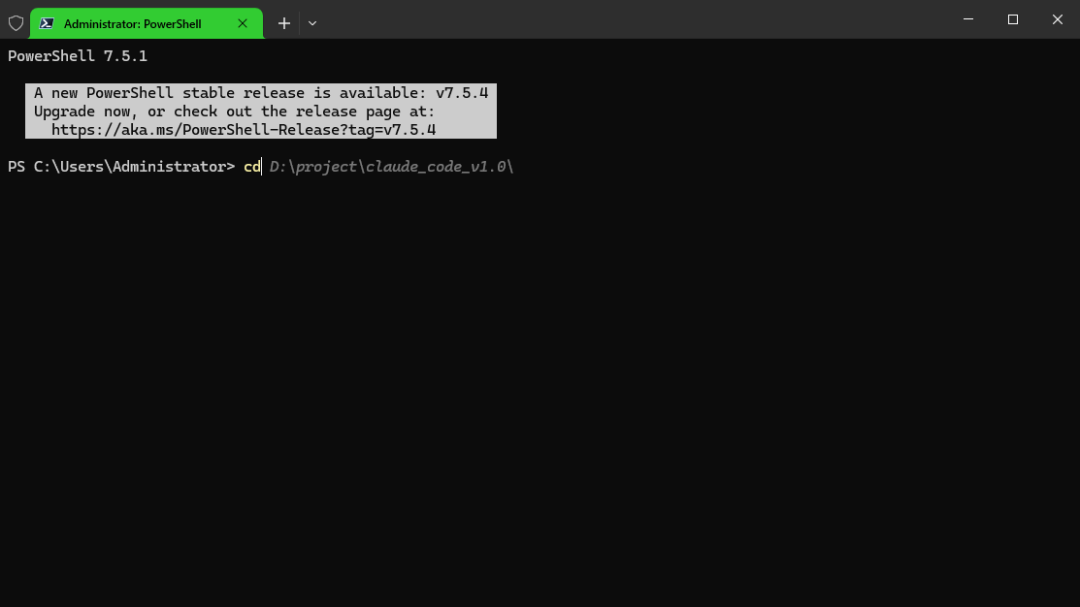 Running claude looks like this:
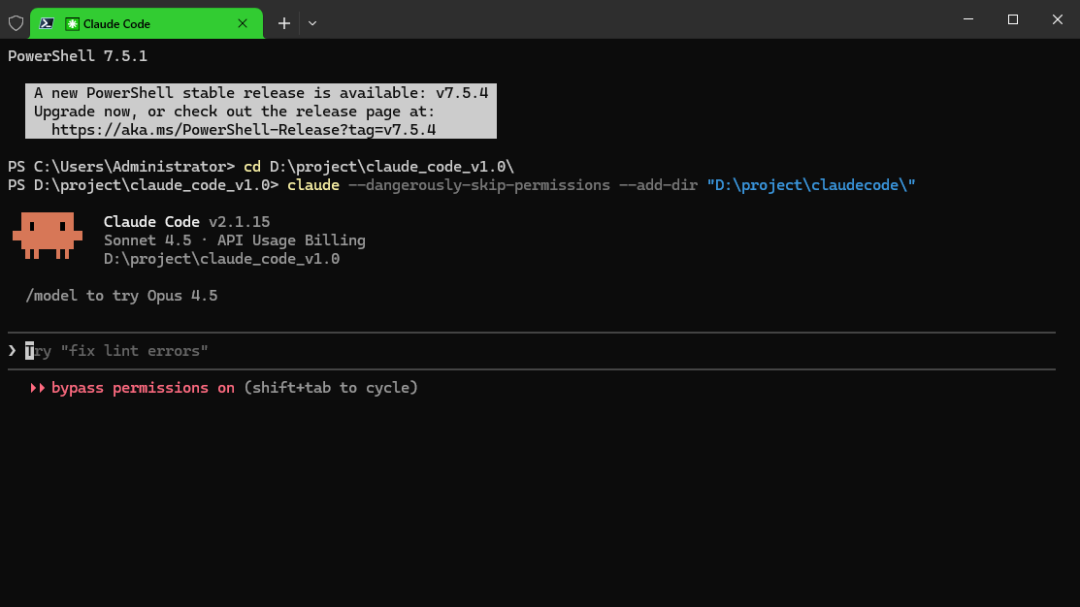
No line breaks, and the interface looks much better. You can adjust transparency, change themes, modify fonts—it's far superior to that old blue-background, white-text PowerShell. Claude Code itself is quite useful; don't let terminal display issues affect your experience. Spending two minutes to switch to Windows Terminal is worth it.
As for how to install Claude Code, there are plenty of resources online, so I won't cover it here.



