ZhiPu AI Secretly Releases ZCode: Giving Claude Code a Graphical Interface
ZhiPu launched ZCode yesterday, a lightweight programming tool. Its core advantage is that it not only integrates the three major mainstream programming Agent tools: Claude Code CLI, OpenAI Codex CLI, and Google Gemini CLI, but also natively and completely retains their super Agent capabilities. Those interested can directly download and experience it from the official website: https://zcode-ai.com
The hottest AI programming tool in the development circle right now is Claude Code CLI. It has strong Agent capabilities, but its configuration is very complex. Many people want to try using Claude Code CLI, but they get stuck on this first step of configuration.
Using ZCode, you won't lose any of the programming quality of "directly using the native CLI", but you can get a programming experience far beyond the command-line era: unified visual interface, multi-model scheduling, automatic version management, bringing a double leap in experience and efficiency.
Interface Introduction
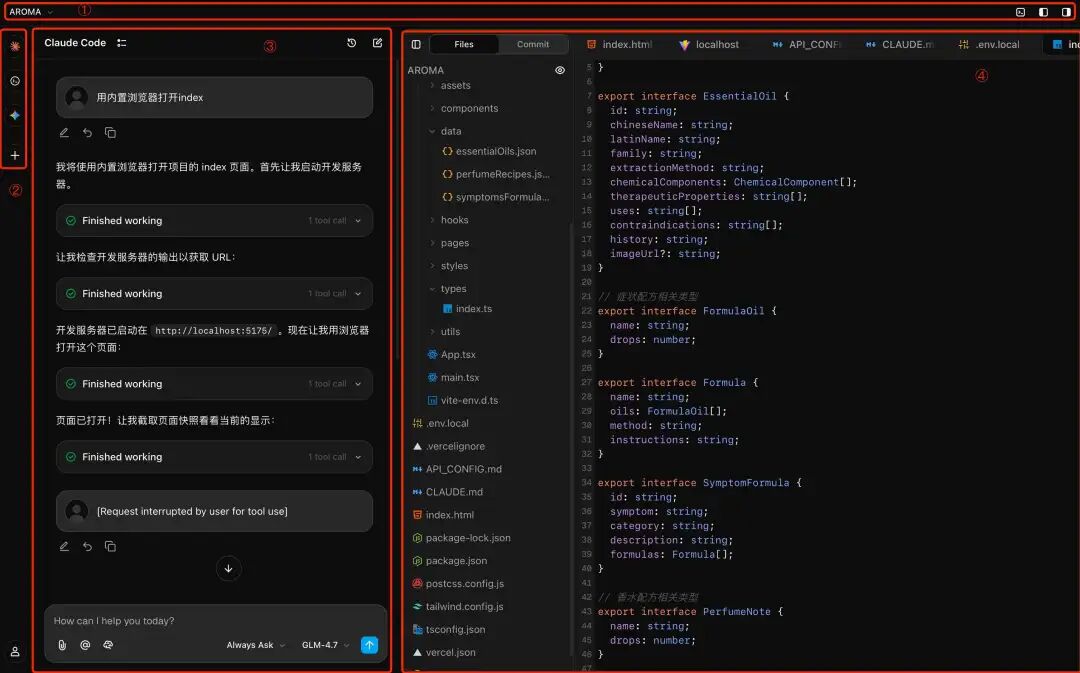
The Z Code application interface can be mainly divided into 4 areas:
-
- Top navigation bar: mainly manages windows and folders
-
- Tool selection bar: The function is to switch built-in CLI programming tools
-
- Conversation panel: The core function is to display the dialogue between the user and the Agent and the Agent's execution process; as well as the configuration of model, mcp, etc.
-
- Preview panel: The main function is to expand/hide the right preview panel (code review, browser preview)
Top Navigation Bar

Top Navigation Bar
Through the buttons on the top toolbar, you can open and close the preview area panel and the display and closing of the terminal.
Tool Selection Bar
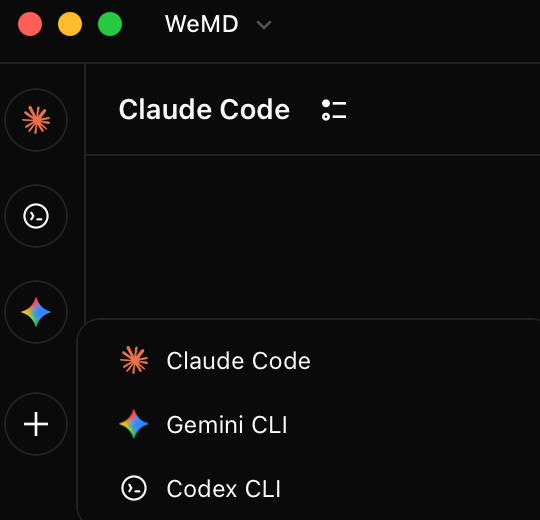 Tool Bar Switching CLI
The main function provided by the toolbar is to switch different CLI tools. Currently, ZCode integrates Claude Code CLI, Codex CLI, and Gemini CLI by default. Of course, by clicking "+", you can add instances of these three CLIs, which is equivalent to realizing multiple instances of a certain CLI. You can use these three CLI + git worktree simultaneously on one project to realize the scenario where three CLI agents work on one project at the same time; you can also open multiple instances of a certain CLI to achieve the same effect.
Conversation Panel
1 Mode Switching
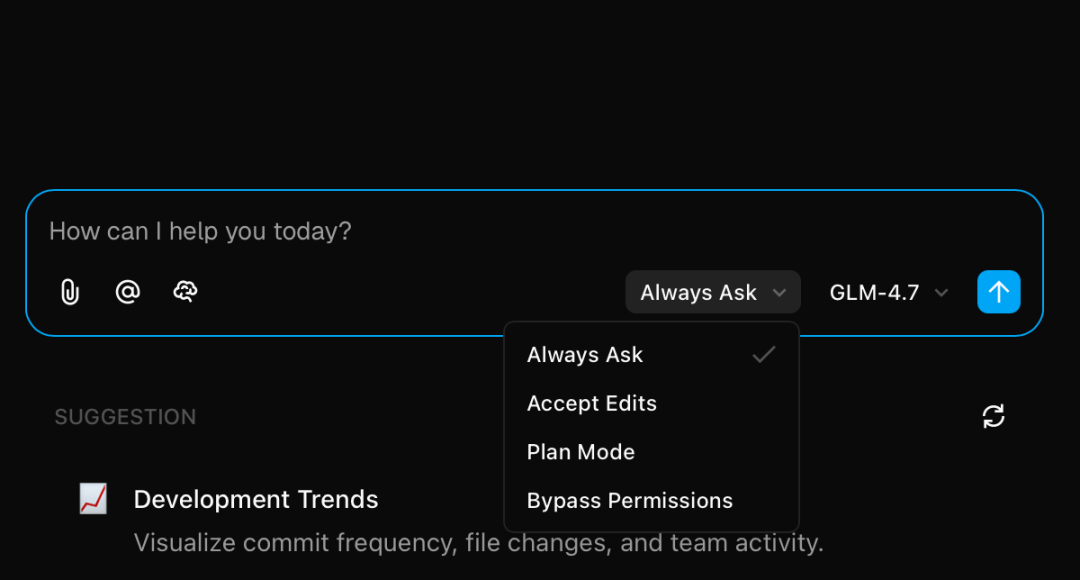
Conversation Area Mode Switching
The current default modes are:
-
• Always Ask: Every time you read or modify a file or execute a command, you need your authorization for the large model to continue execution. This is the mode with the least permissions, and it is the default mode.
-
• Accept Edits: On the basis of the above permissions, the permission to edit files is released, and the model directly edits without your authorization.
-
• Plan Mode: This has nothing to do with permissions. It is an Agent, a task execution mode. In this mode, tasks must be planned first, think about and output the plan, and only execute after obtaining your approval.
-
• Bypass Permissions: Authorize all permissions at once. The large model can do anything without your authorization. This mode is more dangerous and is best used in a sandbox.
2 Model Switching
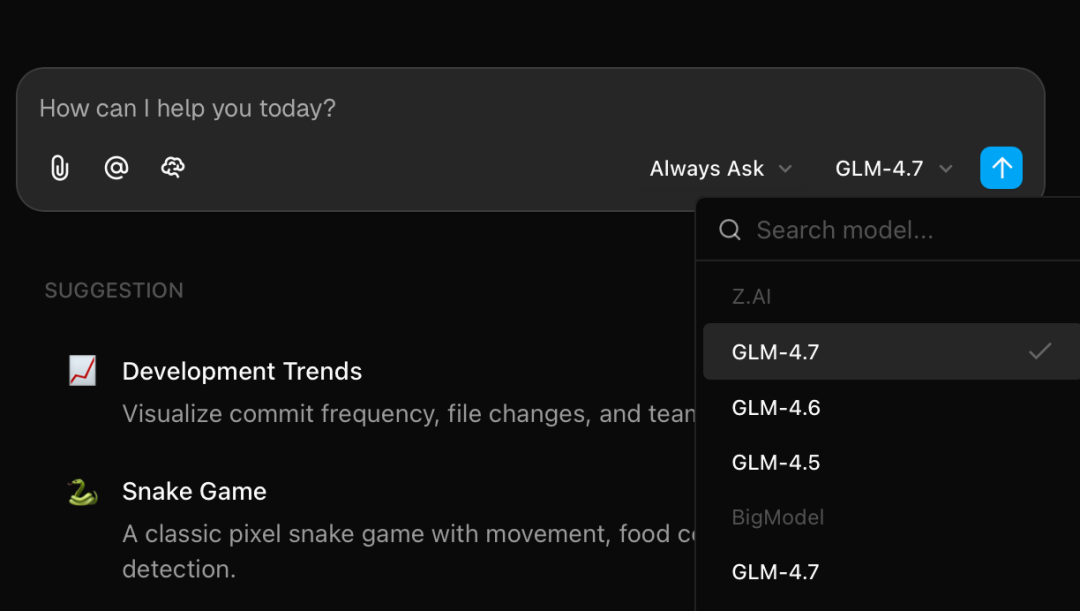
Conversation Area Model Switching
Realize the switching of different models
3 Model Configuration
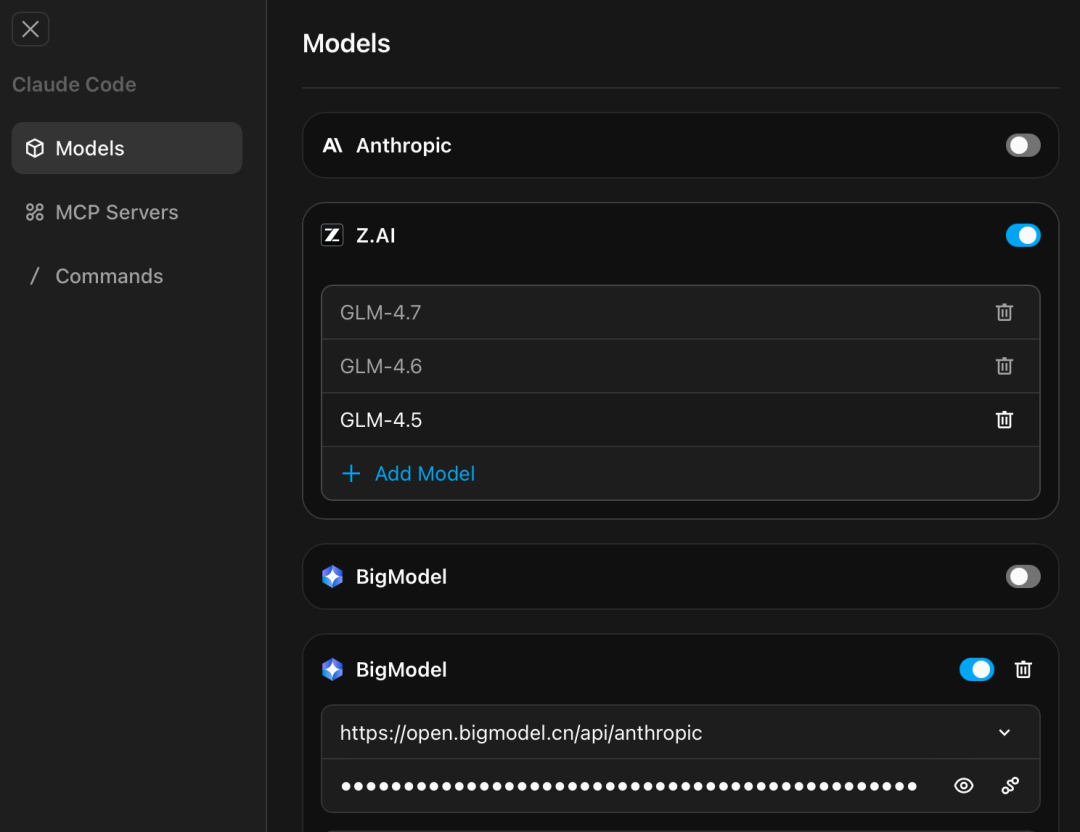 Configure ModelFirst, select a model provider. The URLs of several built-in model providers are already included and do not need to be entered separately. You only need to enter the model API Key. The prerequisite is that you need to recharge or purchase a GLM Coding package in advance:
 https://www.bigmodel.cn/glm-coding?ic=F0LYA0JJUP. Of course, purchasing the overseas version is the same: https://z.ai/subscribe?ic=RP34Q6GQVY
4 MCP Server Configuration
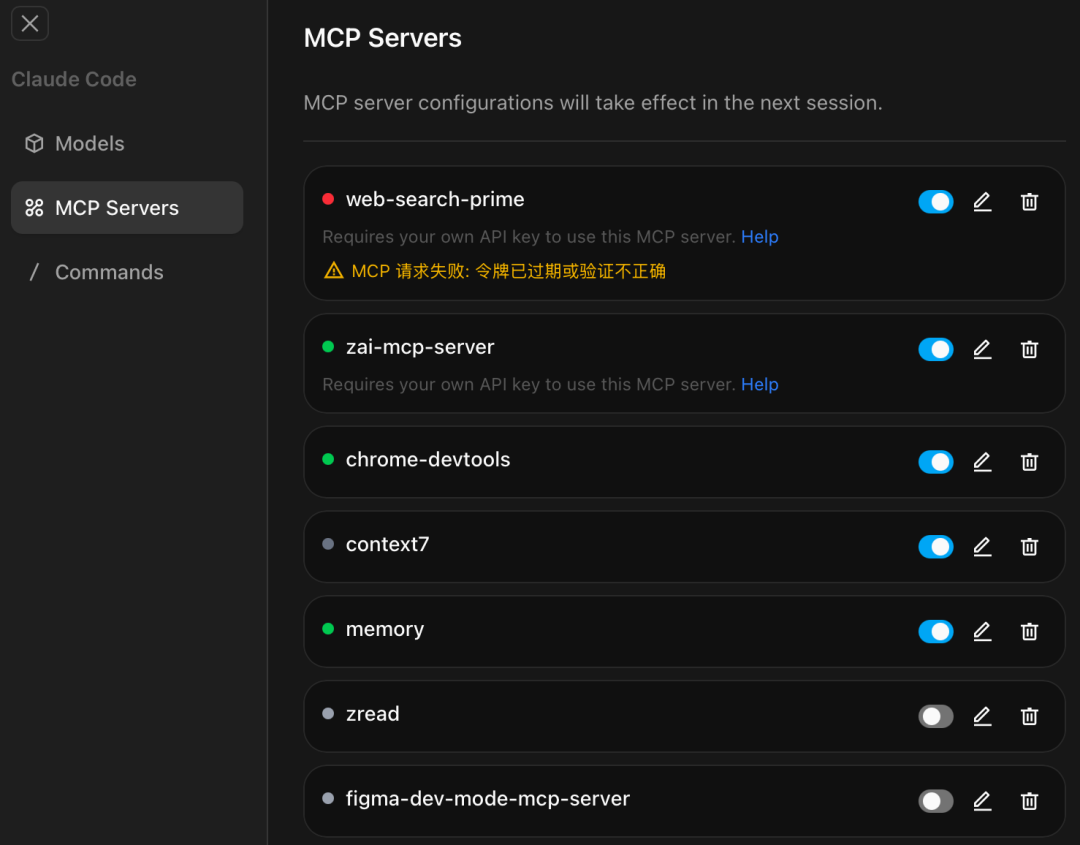
Configure MCP
As shown in the figure, Zcode has many built-in MCPs, and you can also configure other MCP Servers by clicking "Add MCP Server".
5 Command Configuration
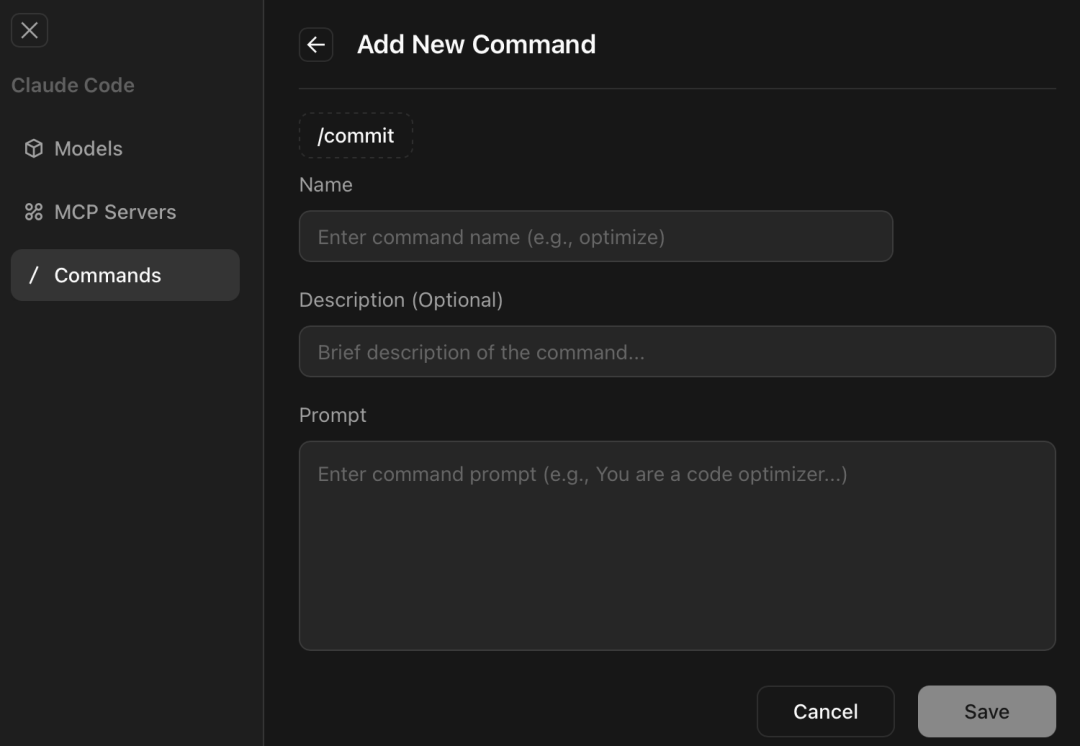
Configure Command
This is a bit like the slash commands in Claude Code CLI. In Claude Code CLI, you can add commands through the /plugin command. ZCode can complete the definition of a Command by filling in the command name, description, and prompt content. The quality of the Command is closely related to the prompt.
Preview Panel
File Preview Area
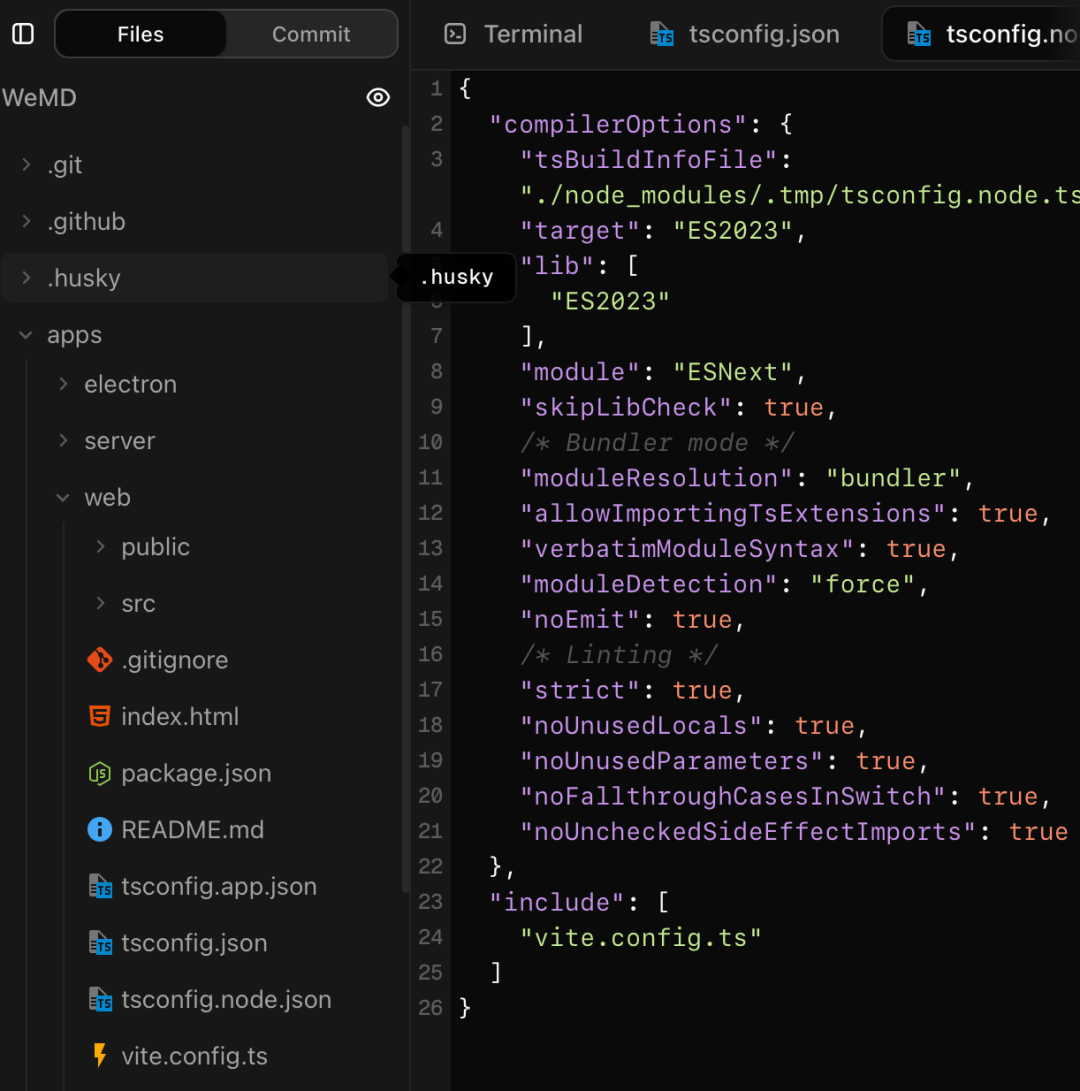
File Preview Area
You can see the directory structure of the entire project. Click on any file to directly see the content of the file. ZCode should have an integrated text editor that supports most development file types well. Basically, many files support previewing.
Terminal Preview Area
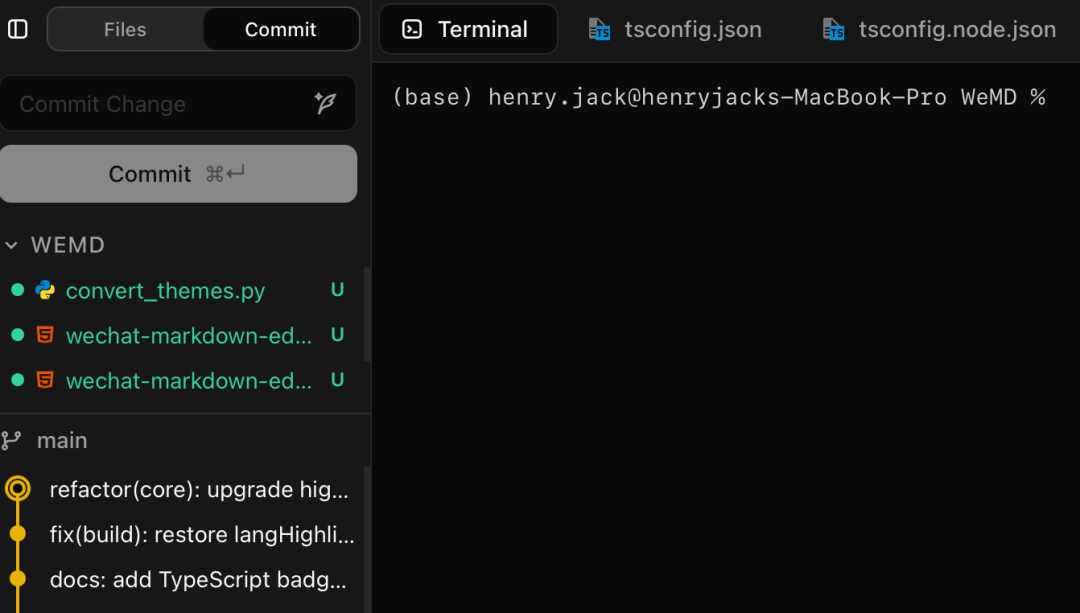
Terminal Preview Area
You can watch the output of the large model while confirming some tasks related to the execution of the large model through this terminal, without switching back and forth between different tools. In fact, this is quite similar to ByteDance's TRAE.
git commit Preview Area
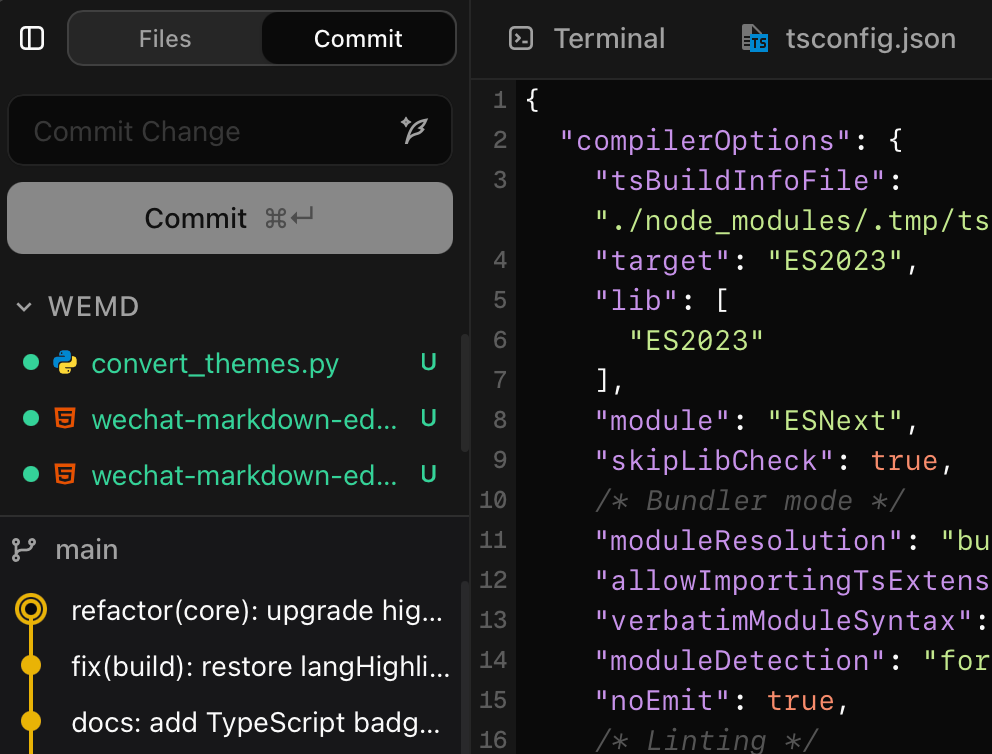
git commit Preview Area
This area is for managing, reviewing, and reviewing information related to modification status and submission status.
What Makes ZCode Different
1. Accessible to All Tech People, No Longer Limited to "Hardcore Players"
Those CLI tools are powerful, but the prerequisite is that you have to love tinkering with the terminal, and environment configuration can deter a wave of people.
ZCode changed its approach: the brain is still that powerful brain, but the entry point has become fool-proof. As long as you have an API Key, even if you are a front-end developer, design convert, or product manager, you can painlessly participate in AI programming. It has issued the entry ticket for "writing code" to more people.
2. Say Goodbye to "Blind Typing" and Give You a Real Visual Workbench
What is the most painful thing about using the command line? It is lines of scrolling text. You have to build the project structure in your head.
ZCode directly disassembled this set: chat with AI on the left, and the file tree and editor on the right. Which line of code AI changed is clearly marked in the Diff view. You can see how the code "grows" instead of guessing at the black box.
3. Comes with "Regret Medicine", You Can Try and Error as You Like
Using AI in the command line, forgetting git commit is a disaster, and it is difficult to save if it collapses.
ZCode adds automatic snapshots to each round of dialogue. Did you chat wrong? Did you change it wrong? One-click rollback to the previous round. This sense of security of "being able to withdraw at any time" allows you to truly dare to let AI write core logic.
4. From "Personal Black Technology" to "Team Assets"
The operations in the command line are fragmented, and only you know what happened. ZCode ties together the entire conversation, modification history, and project structure. The entire iterative process of the code is traceable. For future retrospectives and handovers, this is ready-made documentation, not a pile of rotten code that only God knows how to run.
5. The Real Model Scheduling Hub
You no longer need to switch tools or modify configurations to switch models.
In ZCode, you can switch models at will and configure API Keys as you like. Use Claude to write logic today, use GPT to polish it tomorrow, and you can also hang MCP plugins to connect to the internet and recognize images. It's not just a shell; it's a super hub that can coordinate all AI capabilities.
Finally
Given that the three major CLIs have already proven the powerful capabilities of Agents, ZCode does not offer "reinventing the wheel," but rather a lightweight AI IDE editor that "visualizes mainstream command-line tools like Claude Code," thereby truly landing these capabilities into a unified workbench for more developers and teams. It retains the programming quality of the native CLI while significantly improving the experience and engineering controllability. This is its most core difference compared to traditional command-line tools.
In addition, the official also provides a very complete user guide: https://zhipu-ai.feishu.cn/wiki/VpgrwtBcyiU59zk9fMEcm2sFnee



